Warehouse Draw
All funding quotes that have been imported and calibrated and it has been determined that the funding will be done through the warehouse, will have to be added to a warehouse draw in order to be sent to AMAL for the bank to decide if the warehouse will in fact fund.
The following will not be able to be added to a warehouse draw
- Loans that have been flagged in Odyssey as only to be funded by investors
- Loans for domestic products
- If the loan does not have sufficient TCI cover
1. Navigate to the Clearmatch Admin Portal and select the "Clearquote" menu item.
2. Once in Clearquote select the Warehouse Draws" menu item
3. You will be presented with a page that will automatically list the warehouse draws that have been created in the last 90 days:
4. Use any of the filter options to refine the list of draws
5. The small icon on the right of the menu will slide the menu back and forth to give you more viewing space on the screen.
6. Click in the the blue "view " button  will navigate the user to the draw maintenance page where the user can view all the details and make any changes.
7. Click in the the green "new draw " button  will navigate the user to the draw maintenance page where the user can create a new warehouse draw.
Warehouse Draw Maintenance Page
1. There are option to add the following to a draw
2. Clicking the  icon will expand the page to present a filter to search for already funded loans. NOTE if the loan was not originally funded through Clearquote and Fusion then the loan cannot be done as Clearquote has no record of it.
3. Clicking the  icon will expand the page to present a filter to search for funding quotes.
4. Clicking on  will expand the page to search for already funded loans that have sleer interest > 0
5. Once all the loans are displayed on the page, select the include checkbox 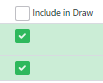 to select the specific loans you want included in the draw.
6. Clicking  will save all the loans included, against the draw.
7. Verify. Once saved, the next step is to Verify the draw to see if the PCL checks pass. To do this click  . The verification will do the following
- do a PCL check for each loan included in the draw
- The result for each individual loan can be viewed by selecting the results next to each loan. The individual results are more for reference when trying to determine if any loans should not be included in the draw. It is only the PCL checks of the draw as a whole which is important in the end.
- do an overall PCL check for the entre draw as a whole
- the results of the entire warehouse draw can be viewed by clicking on the
link
8. Commit To Utilisation. When you are happy with the verification results and the loans include in the draw click the  button which will generate the file that can be sent to AMAL for processing. The file generated will appear under the view documents tab where it can be downloaded and sent.
9. AMAL and the bank will process the file and once the draw has been purchased you will need to click the  button to finalise the draw. At this point if any tranche notes need to be created for funding interest OR for seller interest and purchaser interest if the business rules are setup, then they will be generated.
10. You can add notes to a warehouse draw by clicking the "Add Note" button  . While creating a note, you also have the option to upload and attach documents or emails, ensuring that all relevant information is recorded and stored with the draw.
Related Articles
Warehouse Draw Bulk Load
The process for users to add loans to a warehouse draw involves the following steps:, import, save quote, save funding option, lock quote, add quote to draw. This is time consuming when there are many loans in the draw. The bulk load option assists ...Funding Option Status
The following funding option status's are available: Status StartStatus EndStatus Quoting True False Automatically set when a funding quote is created from a loan or endorsement imported from Odyssey Calibrated False Manually set in Clearquote when ...What do I do and in what order
The standard flow will be: In Odyssey - a quote is approved and becomes a loan OR an endorsement is approved against an existing loan Before settlement is to be done, no need to do before that, do the following in Clearquote: Sign Into Clearquote ...Funding Option
The funding option will determine who will provide funding for the funding quote and the details for the funding. Once you have completed the details on the quote maintenance page , you will need to complete the funding option page and calibrate and ...Funding Quotes
Loans and endorsements imported from the Odyssey loan administration system into Clearquote can be viewed and maintained from within the funding quote maintenance page. Once imported, the details must be completed on the funding quote page and saved, ...